iOS & Android

Take Your
Training
to the Next Level

HIIT Timer is a timer app optimized for high-intensity interval training. Customize preparation, work, rest, and cool down phases with intuitive controls.

4 Phases
Presets
2 Languages
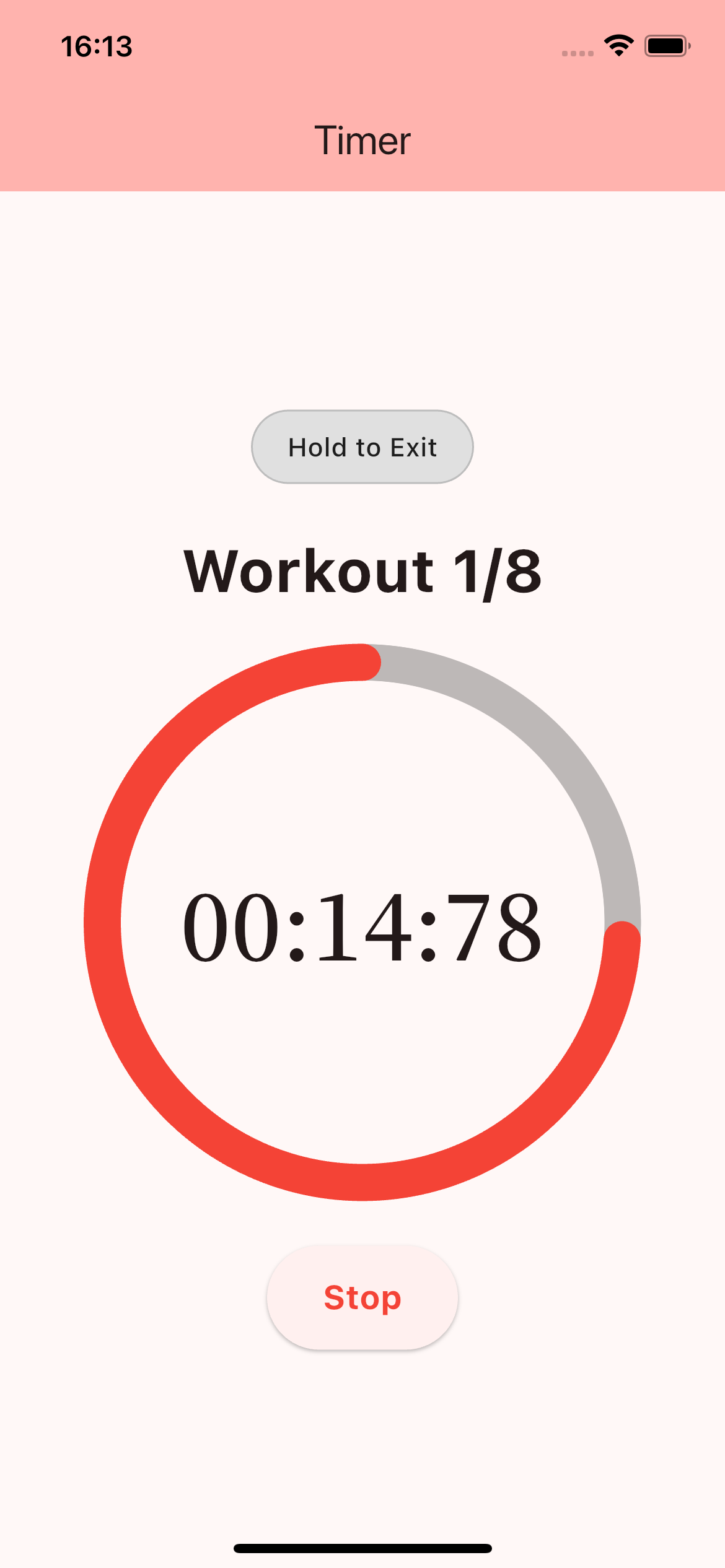
HIIT Timer Workout Screen

Everything You Need

All the features you need to stay focused on your training.

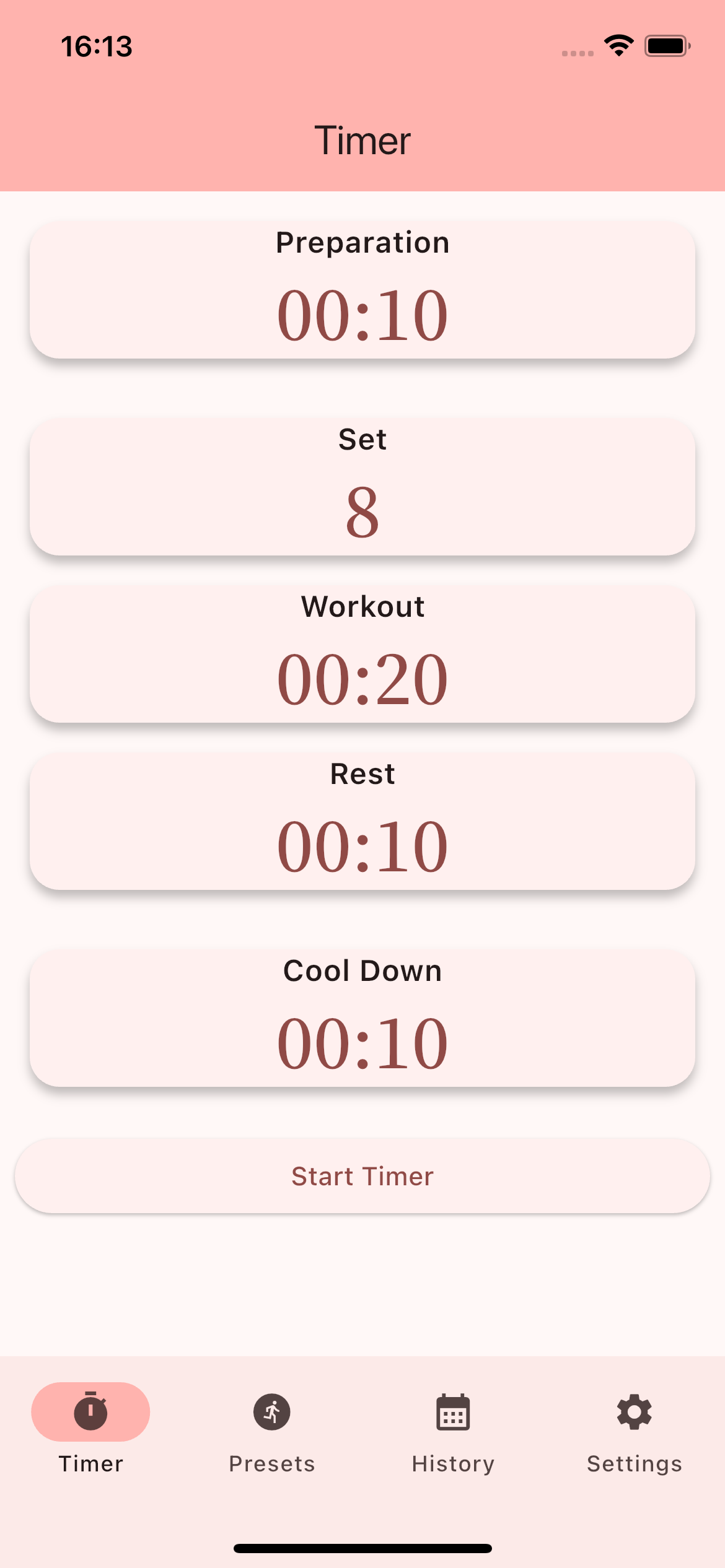
Custom Timer

Freely configure 4 phases: Preparation, Work, Rest, and Cool Down. Create your own unique workout.

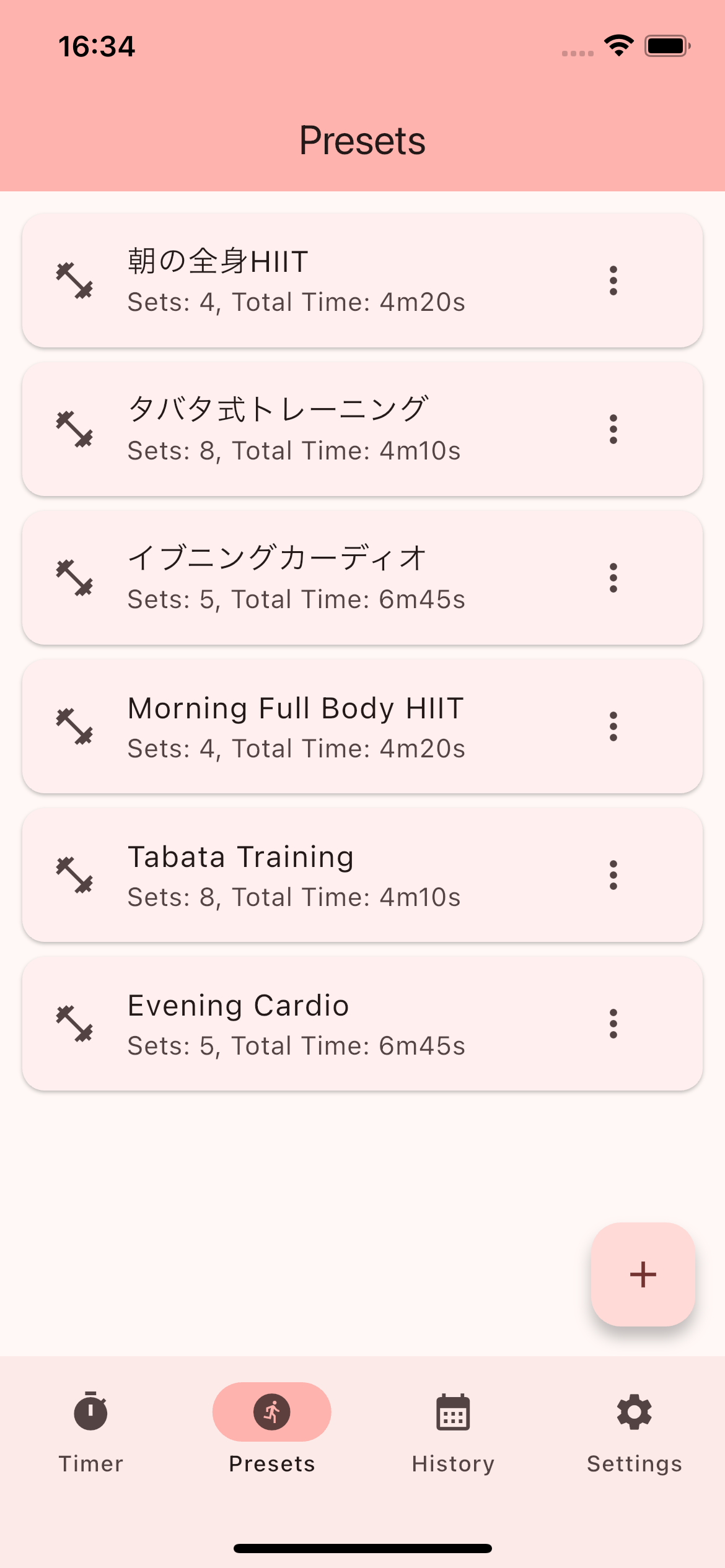
Preset Management

Save your favorite workouts as presets. Start them instantly with a single tap.

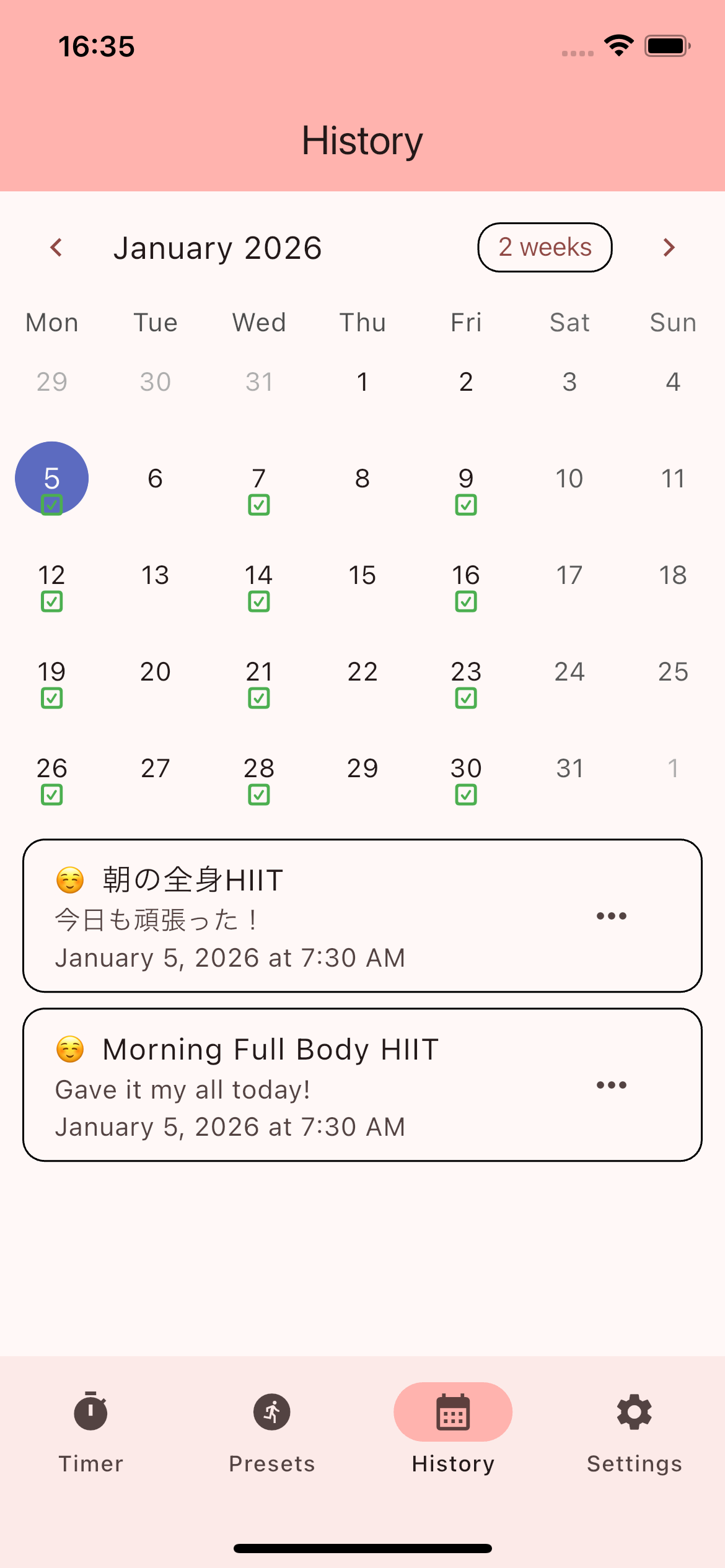
Calendar History

View your training history on a calendar. Record your mood with comments and emojis.

Cloud Backup

Safely back up your workout data with Google Drive. Switch devices worry-free.

Audio & Vibration

Custom sounds and vibration alerts for phase transitions. Stay on track without watching the screen.

Dark & Light Mode

Switch themes to match your environment. Supports both English and Japanese.

Get Started in 3 Steps

Simple controls to start your training right away.

01

Set Up Your Workout

Configure preparation, work, rest, cool down times and set count with an intuitive UI.

02

Press Start

Once configured, hit start. Audio guidance and vibration will notify you of phase transitions.

03

Track Your Results

Completed workouts are automatically logged to the calendar. Visualize your daily training progress.

App Screens

A polished UI for a comfortable training experience.

Timer Settings

Timer Settings

Workout

Workout

Presets

Presets

Calendar History

Calendar History

Frequently Asked Questions

Answers to common questions about app usage, data backup, and notifications.

Yes, all core features are available for free. The app offers optional "Support the Developer" in-app purchases, but these do not unlock any additional features.

Go to the Settings screen and use the Google Drive backup feature. Sign in with your Google account and tap "Backup" to save your data to Google Drive.

Yes, you can transfer your data using the Google Drive backup feature. Create a backup on your old device, then restore it on your new device.

The app supports Japanese and English. The language is automatically set based on your device settings. You can also change it manually from the Settings screen.

Notifications will still work in the background, but for the most accurate experience, we recommend keeping the app in the foreground during workouts.

Please check that notifications are enabled for HIIT Timer in your device settings (Settings > Notifications > HIIT Timer).

Get Started Today

Make your training more efficient with HIIT Timer. Free to download.

Download on the App Store
Coming Soon Google Play